Sales
Estimates, invoices, credit memos, customer deposits and payments. Email invoices as PDFs from your own email account.
Accounting software, tools and resources to fit the way you work.
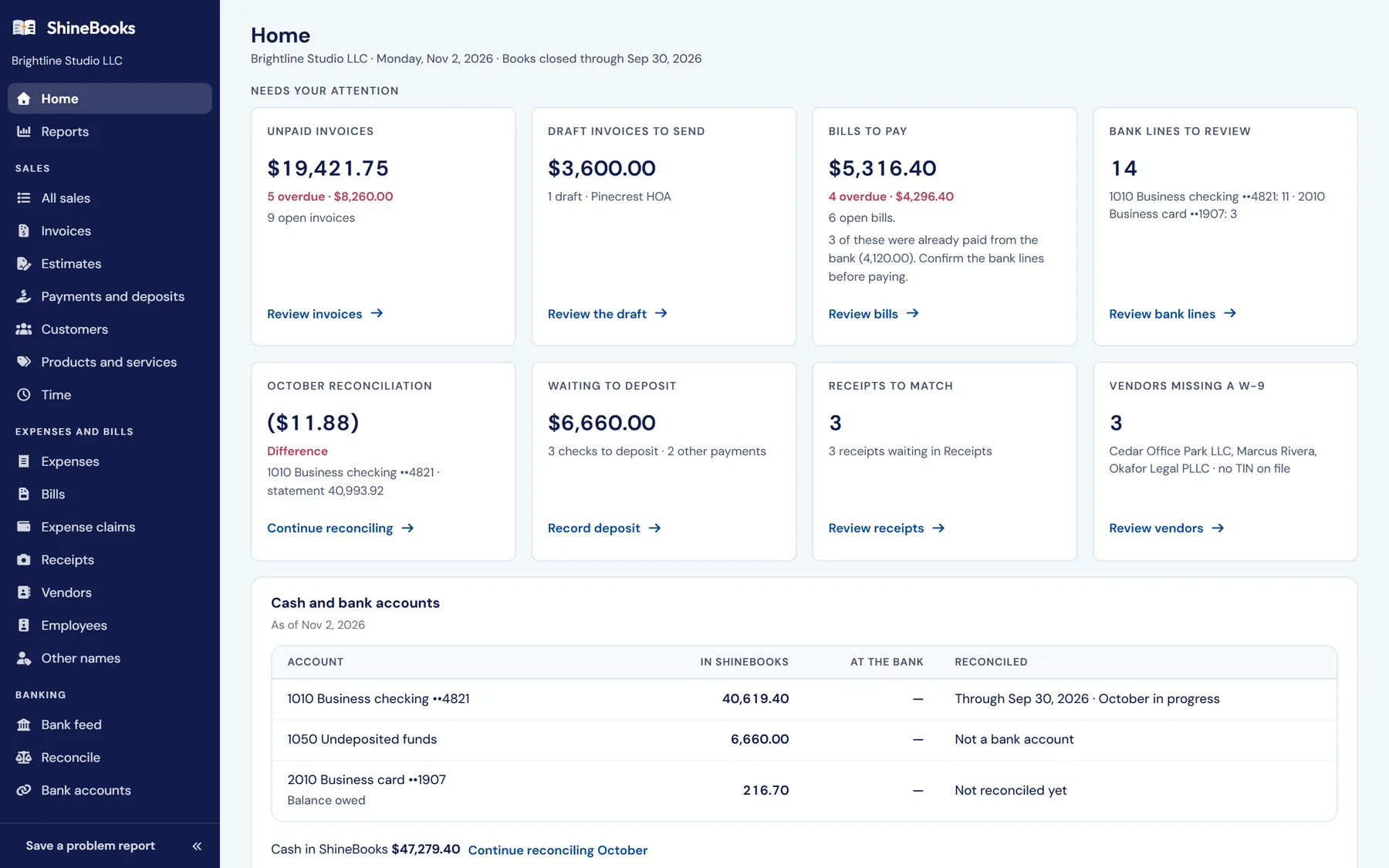
Your lists, your transactions and their history come across as they were, with every link between them.
The ShineBooks extractor reads your books into one snapshot file, on the computer where your current software opens them.
See what comes across, what’s set aside and why, before the import starts.
Your imported books are compared with your previous software’s own trial balance and profit and loss, year-end by year-end. The tie-out stays in your books as a workpaper you can print.
Against your previous software’s reports, each year-end
Any difference is listed by account, with both figures side by side. The tie-out is kept with your books, to print or export.
Each part works the way accountants expect, and each one feeds the same ledger.
Estimates, invoices, credit memos, customer deposits and payments. Email invoices as PDFs from your own email account.
Bills, checks, vendor credits and expense claims. Pay bills in a batch and print checks.
Bring in your bank’s OFX, QFX, QBO or CSV files. Rules and matches suggest what each line is; nothing posts until you confirm it.
Agencies, rates and district taxes, a liability report, and returns and payments recorded against what you owe.
1099-NEC and 1099-MISC files for the IRS’s IRIS portal. Import your payroll partner’s file. Track time and bill it.
Stock on hand, counts and adjustments, purchase orders received into bills.
Invoices, bills, expenses and journal entries on a schedule. Pause, skip or end any of them.
A closing date, with a password to change it, and a review of every change made in a closed period.
Profit and loss on the accrual or cash basis, by class or location, balance sheet, cash flows, trial balance, general ledger and agings. Print, PDF or CSV.
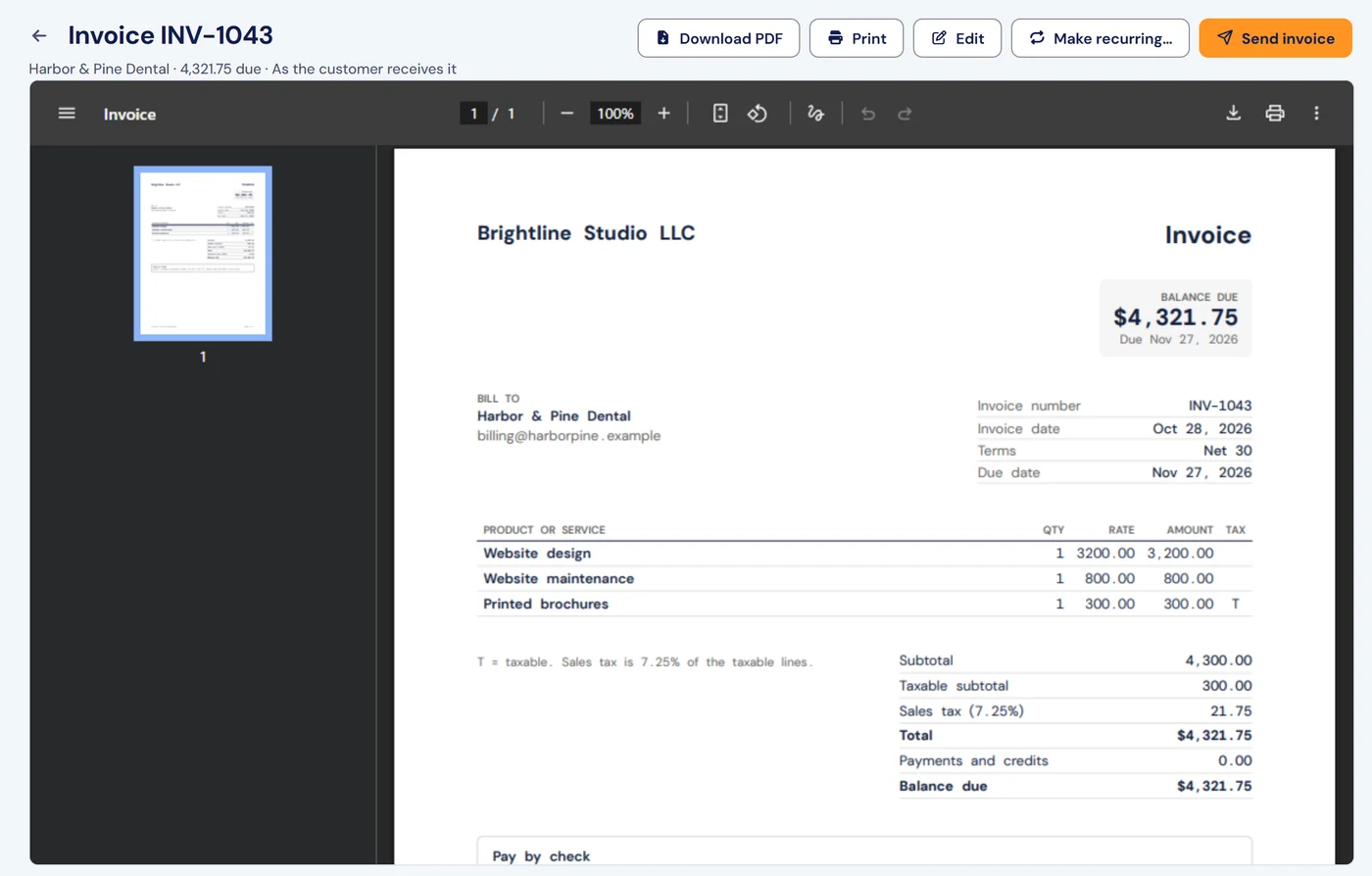
See it exactly as your customer receives it, then download it, print it or send it.
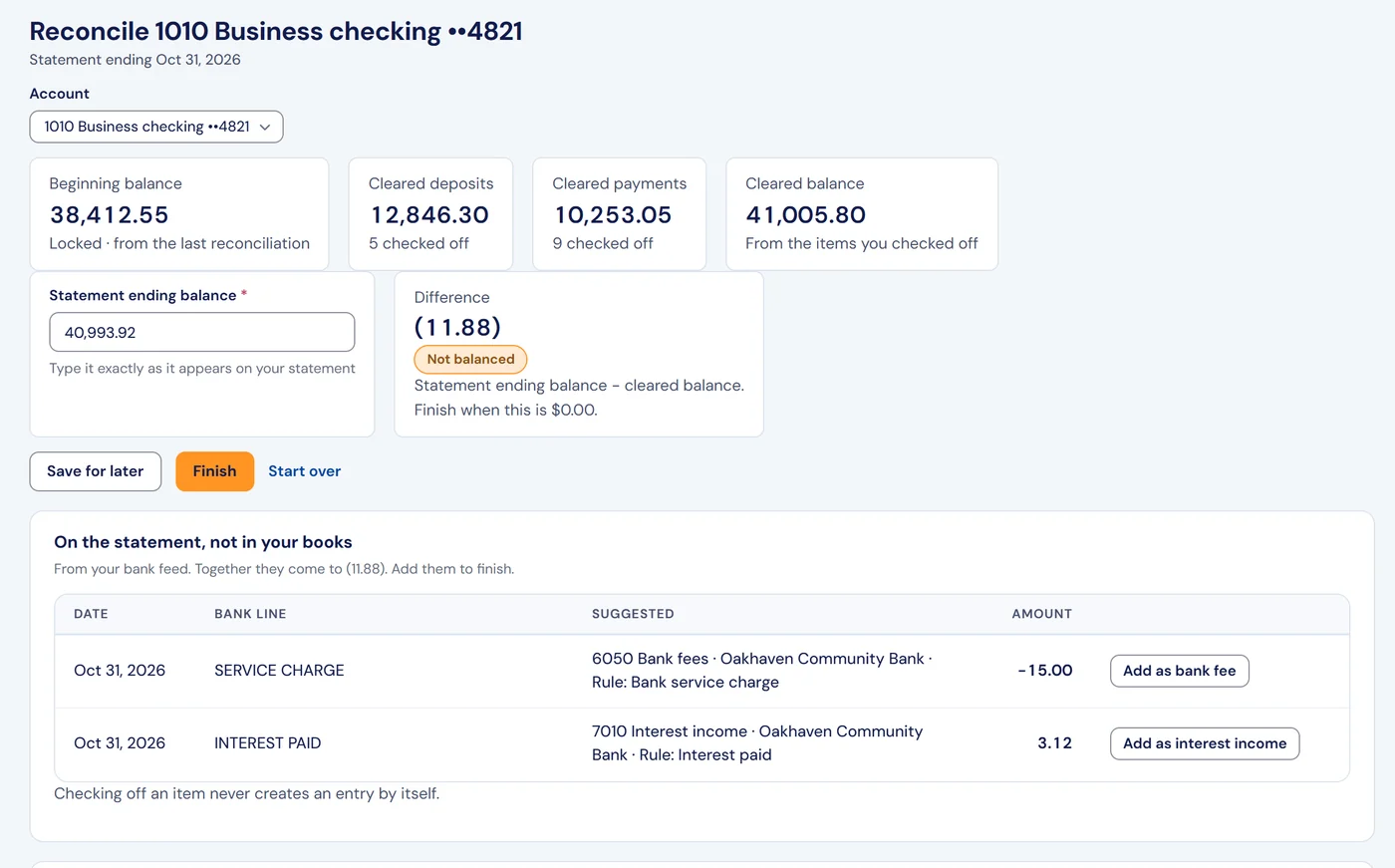
Check off what cleared. What’s on the statement but not in your books is listed with a suggestion, ready to add.
Keep working without a connection, keep your own backups, and decide who sees what.
Keep working when you’re not connected. Nothing in your books waits on a connection.
Back up your books, and restore a backup as a new company file whenever you need one.
Each person signs in for themselves, with two-step sign-in, at the access level you give them.

Create your company, or bring your books with you.
For Windows · Downloads need an access key